
Kevin Joshi - Author
2026-02-23
Are you dreaming of building modern websites and powerful web applications? Do you want a career that lets you work on exciting products, earn a strong salary, and even build your own software? Then becoming a Full Stack JavaScript Developer might be exactly the right path for you.
We'll walk you through a clear, structured, and complete full stack JavaScript developer roadmap from absolute beginner to job-ready professional. Whether you're a student, a career switcher, or someone who's always wanted to build on the web, this is the guide you've been looking for.
What is a Full Stack JavaScript Developer?
A Full Stack JavaScript Developer is someone who can build both sides of a web application:
- Front-End: what users see and interact with in the browser
- Back-End: the server, APIs, and databases that power the application behind the scenes
What makes JavaScript unique is that it's the only language that works natively on both sides. With JavaScript, you can write code for the browser and the server without ever switching languages. This makes it one of the most efficient and in-demand skill sets in the tech industry today.
Why Learn Full Stack JavaScript Development in 2026?
- JavaScript is the most used programming language in the world
- Full stack developers are among the highest-paid professionals in the tech industry
- JavaScript runs everywhere — browsers, servers, mobile apps, and even IoT devices
- A massive ecosystem of tools, frameworks, and communities supports your learning journey
- You can build and launch your own products with just one tech stack
The Complete Full Stack JavaScript Developer Roadmap
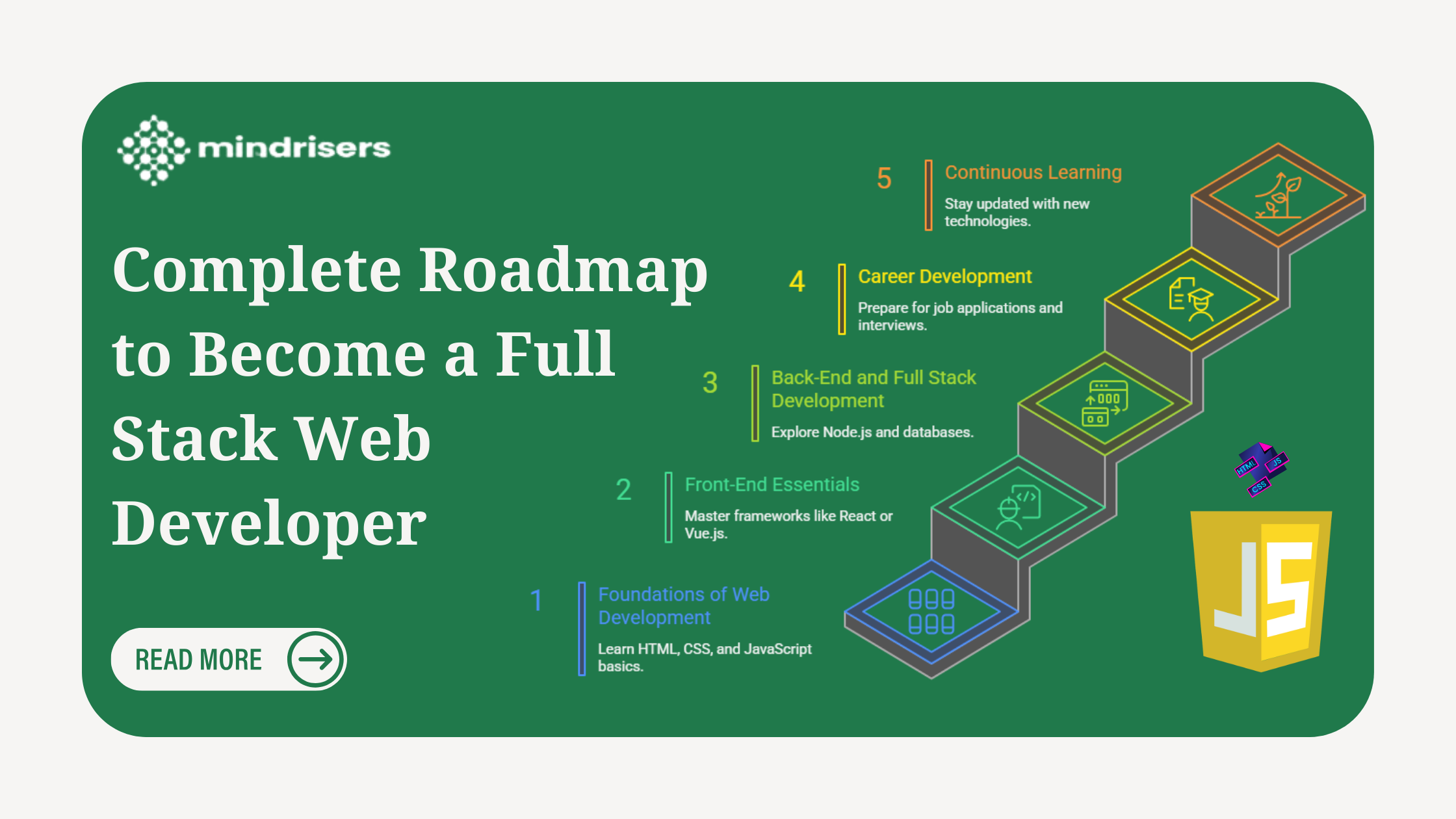
This roadmap is divided into five phases, progressing from foundational web skills to career-readiness and beyond. Each phase builds on the last, follow it in order for the best results.
Phase 1: Foundations of Web Development
Every great developer starts here. This phase gives you the building blocks every website is made of.
HTML & CSS — Structure and Style
HTML (HyperText Markup Language) is the skeleton of every web page. CSS (Cascading Style Sheets) is what makes it look good.
What you need to learn:
- Semantic HTML: writing meaningful, accessible page structure
- The CSS Box Model: understanding how spacing, padding, and borders work
- Flexbox and CSS Grid: modern layout techniques used in every real-world project
- Responsive design: making your sites look great on phones, tablets, and desktops
Version Control with Git & GitHub
Git is the industry-standard tool for tracking changes to your code. Every professional developer uses it daily.
What you need to learn:
- Basic Git commands (init, add, commit, push, pull)
- Creating and managing repositories on GitHub.
- Branching, merging, and collaborating with others.
- Using GitHub to showcase your work to potential employers.
Deployment: Making Your Work Live
You don't need to wait until you're an expert to share your projects with the world.
What you need to learn:
- Deploying static websites using Vercel or Netlify both are free and beginner-friendly.
- Connecting your GitHub repo for automatic deployments.
- Understanding domain names and how the web works.
JavaScript Basics
This is where things start getting exciting. JavaScript adds logic, interactivity, and life to your web pages.
What you need to learn:
- Variables, data types, functions, and loops.
- Conditionals and control flow.
- DOM (Document Object Model) manipulation making pages respond to user actions.
- Handling events like clicks, keyboard input, and form submissions.
CSS Frameworks (Optional but Recommended)
Tools like Tailwind CSS let you style applications faster without writing all your CSS from scratch. These are widely used in professional environments.
Phase 2: Front-End Essentials
Once you've mastered the basics, it's time to level up your front-end skills significantly.
Advanced JavaScript (ES6+)
Modern JavaScript (ES6 and beyond) has powerful features that make your code cleaner, more efficient, and easier to maintain.
What you need to learn:
- Arrow functions, template literals, and destructuring
- Modules and imports/exports
- The Spread and Rest operators
- Asynchronous JavaScript Fetch API, Promises, and Async/Await
- Working with external APIs to fetch and display real data
Understanding asynchronous code is one of the most important skills for any JavaScript developer. This is what allows apps to load data from servers without freezing the page.
Front-End Frameworks: React, Vue, Svelte, or Angular
Modern web applications are built with component-based frameworks. Instead of writing one giant HTML file, you break your UI into reusable, manageable components.
The most popular options in 2026:
- React: The most widely used framework; huge job market demand
- Vue: Known for its gentle learning curve and clean syntax
- Svelte: A newer, highly performant option gaining rapid adoption
- Angular: A full-featured framework popular in enterprise environments
We recommend starting with React if your goal is employability, as it dominates job listings globally. What is better than Mindriser Full Stack Web Developer with Java Script where React is taught by real world professional with 5 years plus experience.
What you'll learn with React:
- JSX and component-based architecture
- Props and state management
- React Hooks (useState, useEffect, and more)
- Routing with React Router
State Management
As applications grow, managing data across many components becomes complex. State management tools help you handle this cleanly.
What you'll learn:
- Component-level state with built-in tools (React's useState)
- Global state management with Redux or Zustand
- When to use local vs. global state
Phase 3: Back-End and Full Stack Development
This phase introduces the server side, the layer that handles data, business logic, authentication, and databases.
Node.js & Express: JavaScript on the Server
Node.js lets you run JavaScript outside the browser, making it possible to build your own servers. Express is the most popular framework for building web servers and REST APIs with Node.js.
What you'll learn:
- Setting up a Node.js project
- Building REST APIs with Express (GET, POST, PUT, DELETE routes)
- Handling HTTP requests and responses
- Middleware and error handling
Databases
Almost every application needs a database. There are two main types you should understand.
Relational Databases (SQL):
- PostgreSQL is the most popular open-source relational database
- Data is stored in structured tables with defined relationships
- Best for applications where data integrity and structure matter
NoSQL Databases:
- MongoDB is the leading NoSQL document database
- Data is stored in flexible, JSON-like documents
- Great for applications that need to scale quickly or have varied data structures
ORMs & ODMs
Instead of writing raw SQL queries, tools like Prisma (for SQL databases) and Mongoose (for MongoDB) let you interact with your database using clean JavaScript code. These tools also help prevent common security vulnerabilities like SQL injection.
Authentication
Every app that has users needs secure login functionality.
What you'll learn:
- Sessions and cookies the traditional approach to tracking logged-in users
- JSON Web Tokens (JWT) the modern, stateless approach to authentication
- Hashing passwords securely with tools like bcrypt
- Protecting routes so only authenticated users can access certain pages
Phase 4: Career Development
Technical skills alone won't get you hired. This phase is about presenting yourself as a professional.
Build a Strong Portfolio
Your portfolio is your proof of skill. Aim to build 3 to 5 full-stack projects from scratch that demonstrate both front-end and back-end capabilities.
Good portfolio project ideas:
- A task management app with user authentication
- An e-commerce store with a product database and checkout flow
- A real-time chat application using WebSockets
- A job board or blog platform with an admin dashboard
Each project should be deployed live, have clean code on GitHub, and ideally solve a real problem.
Build Your Online Presence
Employers and clients look you up online before they hire you. Make sure what they find is impressive.
Profiles to optimize:
- GitHub: Keep it active with real projects and clean commit history
- LinkedIn: Write a compelling headline and summary; list your skills and projects
- Twitter/X: Share your learning journey; connect with developers and hiring managers
Interview Preparation
Technical interviews for developer roles often include coding challenges focused on data structures and algorithms.
What to practice:
- Arrays, strings, and hash maps
- Recursion and problem-solving patterns
- Platforms like LeetCode and HackerRank for practice
- Mock interviews on platforms like Pramp
Don't let this intimidate you consistent daily practice over a few months makes a real difference.
Phase 5: Continuous Learning
The tech industry evolves fast. The best developers commit to continuous learning as a career habit.
Advanced Architecture
Once you're working professionally, you'll want to deepen your architectural knowledge.
Key areas to explore:
- Server-Side Rendering (SSR) with Next.js: Improves performance and SEO for React applications; Next.js is one of the most in-demand skills in 2025
- Microservices: Breaking large applications into smaller, independently deployable services
- Testing with Jest: Writing unit and integration tests to ensure your code works reliably
DevOps
Modern developers are increasingly expected to understand how their applications are deployed and operated.
What you'll learn:
- Docker: Containerizing applications so they run consistently in any environment
- CI/CD Pipelines: Automating testing and deployment using tools like GitHub Actions
- Cloud platforms like AWS, Google Cloud, or DigitalOcean
Building SaaS Products
For many developers, the ultimate goal is to build a Software as a Service (SaaS) product, a web-based tool that people pay to use on a subscription basis. With full stack JavaScript skills, you have everything you need to build, launch, and scale a SaaS independently.
How Long Does It Take to Become a Full Stack JavaScript Developer?
|
Level |
What You Can Do |
|
Beginner |
Build and deploy static websites |
|
Intermediate |
Build front-end apps with React |
|
Full Stack |
Build and deploy full-stack applications |
|
Job-Ready |
Apply confidently for junior developer roles |
Project-based learning,actually building things, will always accelerate your progress faster than passive tutorials.
Common Mistakes to Avoid
Getting stuck in "tutorial hell"
Watching tutorials endlessly without building your own projects is one of the most common beginner traps. Learn a concept, then immediately apply it.
Trying to learn everything at once
Follow the roadmap in order. Don't jump to advanced topics before you've built confidence in the fundamentals.
Using AI as a crutch
AI tools like ChatGPT and GitHub Copilot are great for clarification and assistance, but leaning on them too heavily will slow your actual learning. Use them as a supplement, not a substitute for understanding.
Skipping version control
Get comfortable with Git early. Every professional team uses it.
Not building projects
Your portfolio is your resume. The more real projects you have, the easier it is to get hired.
Learning alone
Find a community. Study groups, Discord servers, local meetups, and online forums will keep you motivated and help you grow faster.
Recent Post
View All
The Highest Paying Tech Jobs in Nepal
2026-03-12.414 Views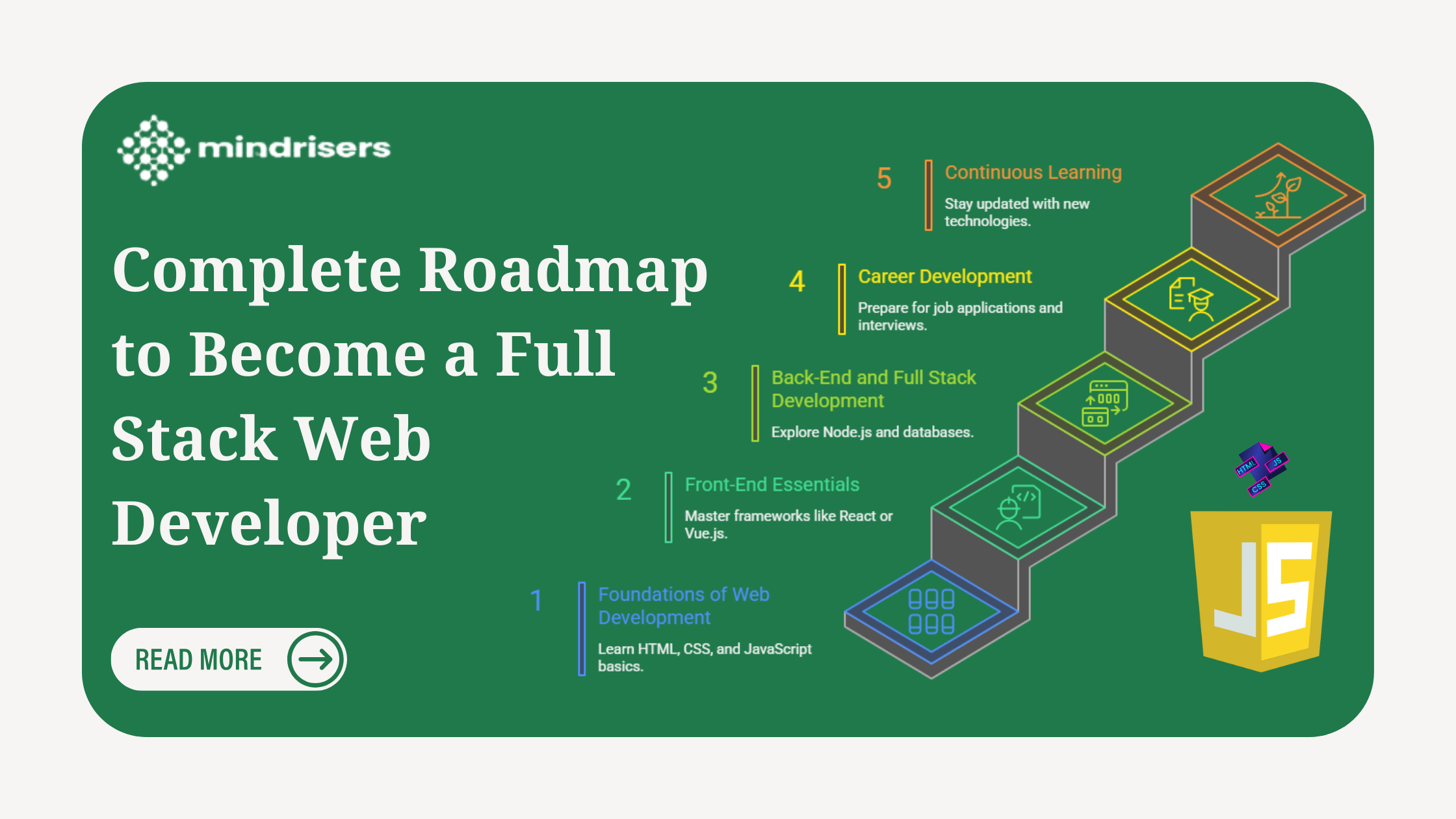
Complete Full Stack JavaScript Developer Roadmap
2026-02-23.532 Views
Meta Andromeda Update: Ad Creatives and Performance in 2026
2026-02-09.1087 Views
Affordable vs Expensive IT Institutes in Nepal: How to Select the Best IT Institute in Nepal?
2026-01-19.782 Views

Never miss an Opportunity !
Want to learn TOP 2025 IT Skills ?
We open IT skill classes Monthly in Design, Development, Deployment, Data etc.
Have something to Ask ?
get admission enquiry